Once you complete the on-boarding process with our customer success team we will import all your data to Max Condo Club and let you know that you are ready to start.
Your registration will be done through a special invitation link that we will send to your email.
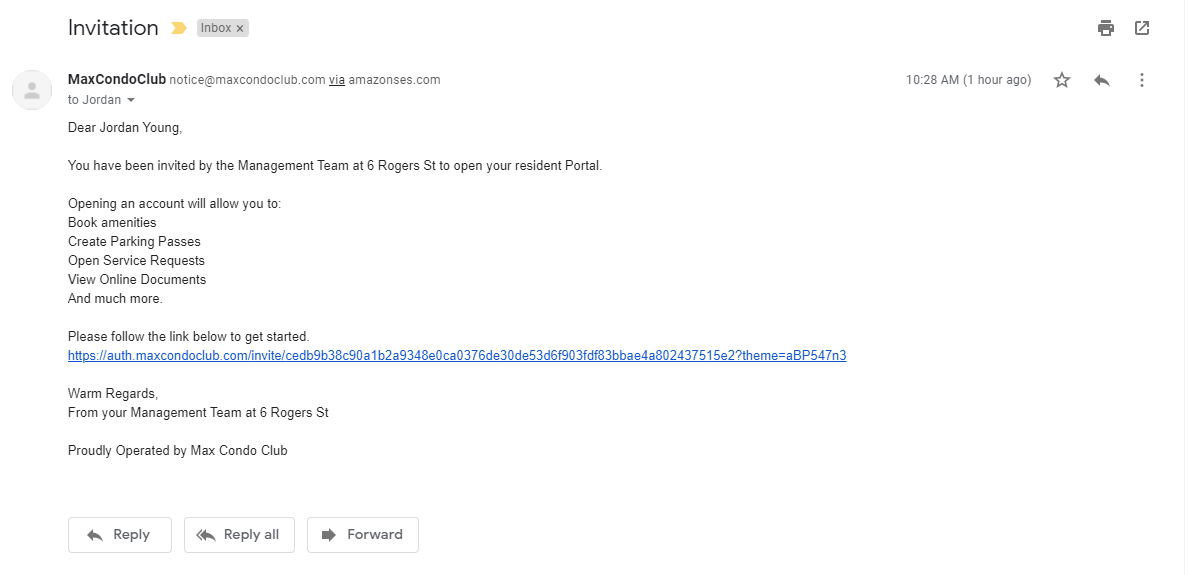
Once you click on the link in the email you will land on our User License Agreement that you will have to agree to in order to start using Max Condo Club. Next step? Creating your unique password.
As a staff member you have access to important personal information that should always be secure.
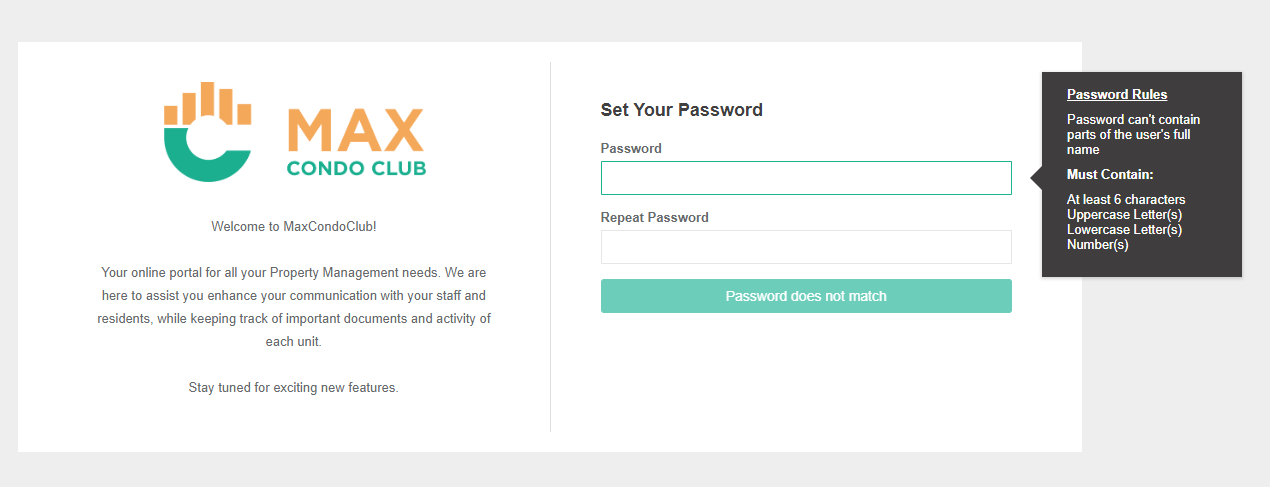
For that reason we have hard password rules. When you create your password you will need to make sure that you password contains all of the following:
Depending on your role within the members of the staff you may get additional confirmation email from Amazon (Amazon Web Services). Have no fear - It is not the same amazon the you buy your items from.
We use Amazon Web Services to send emails from the system and if you want to be able to send emails using your account, you will have to confirm that you are the owner of your email account by clicking on the link in that email.
Once your password is created - your registration is complete.
Let's dive in into the world of Max Condo Club and make some final tweaks to finish the personalization of your account. Step 2: Personalize your account
Comments
0 comments
Please sign in to leave a comment.