Welcome to Max Condo Club.
You will quickly recognize that the Max Condo Club interface is easy to navigate. We've kept to a few principles around the entire application (well, almost) which will certainly make it easy to get used to.
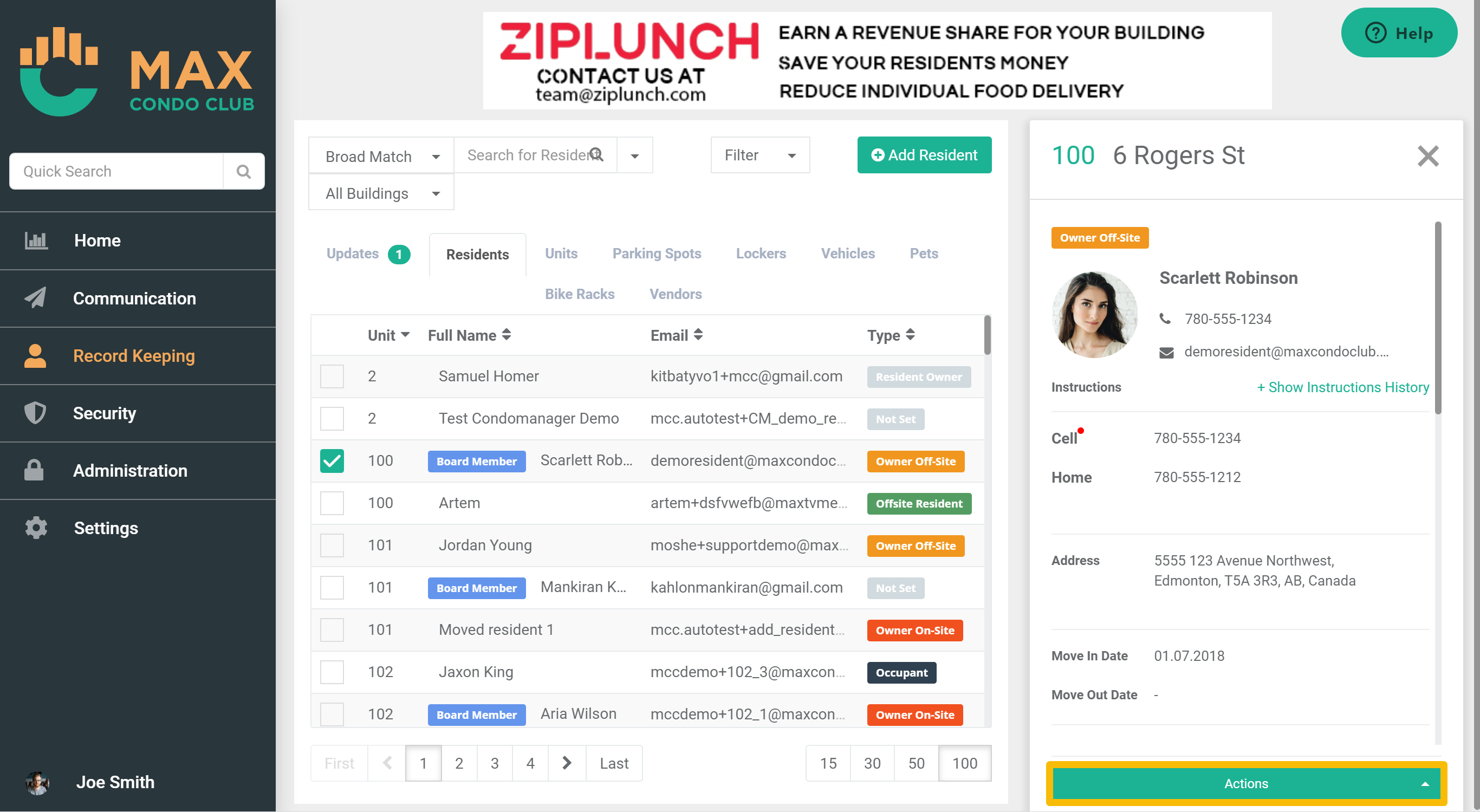
Your interface will generally be split to a Menu on the left and the Service Pane on the right.
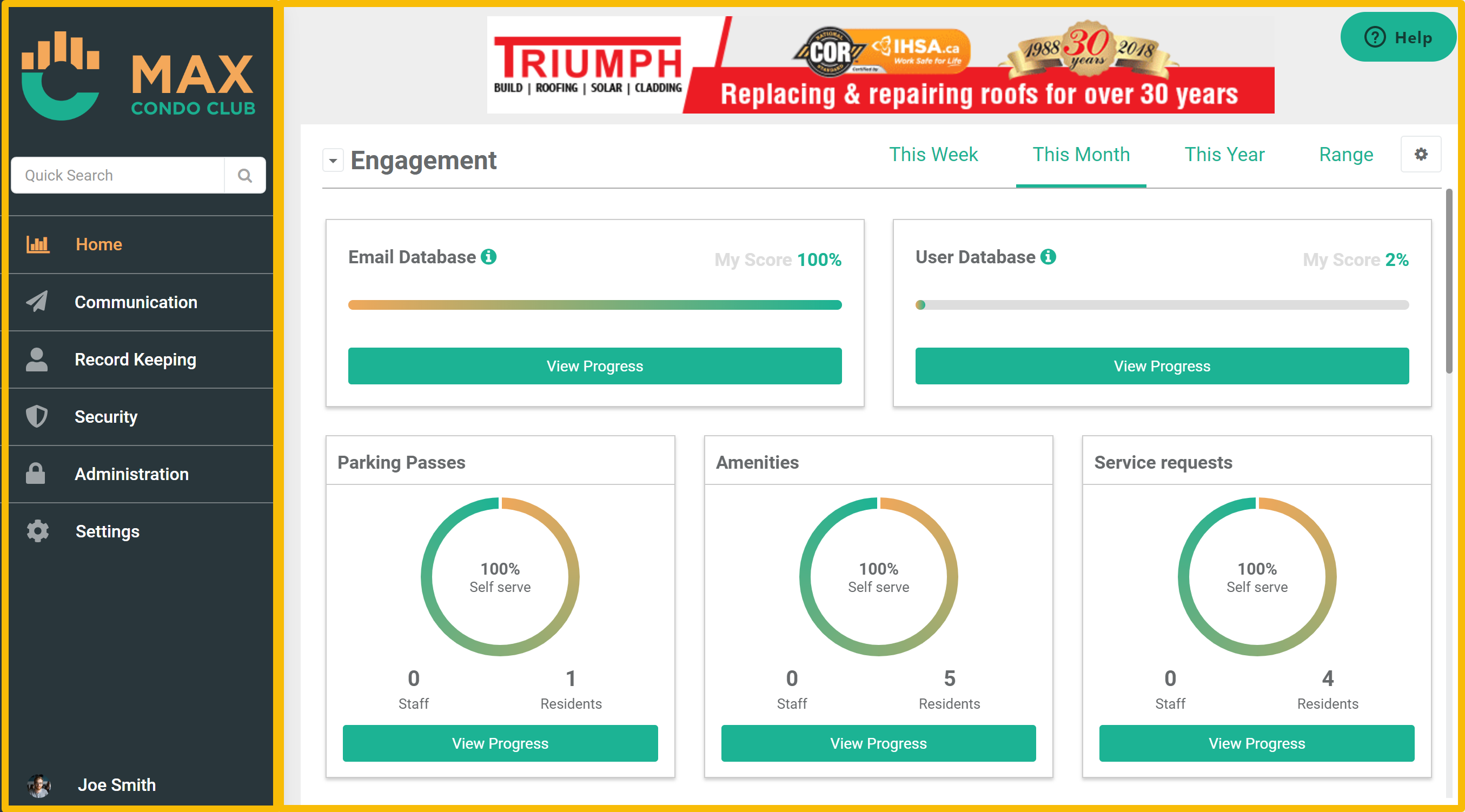
When you first open Max Condo Club, you will land on your Dashboard Service. The dashboard is the homepage of the app and it is designed to give you data on your resident engagement, productivity of your staff, and efficiency of your work. More on these dashboards and how to utilize them here.
When you click through the menu you will be able to navigate to any other Service of Max Condo Club which will present the new Service in the Service Pane on the left.
Since Max Condo Club aggregates a variety of data sets for your condo(s) many of the Services will exhibit a table in which you will see the data that reflects the Service you have navigated to. We will refer to those tables as data sets.

The datasets that is shown by default will present the most commonly used columns that a user will require.
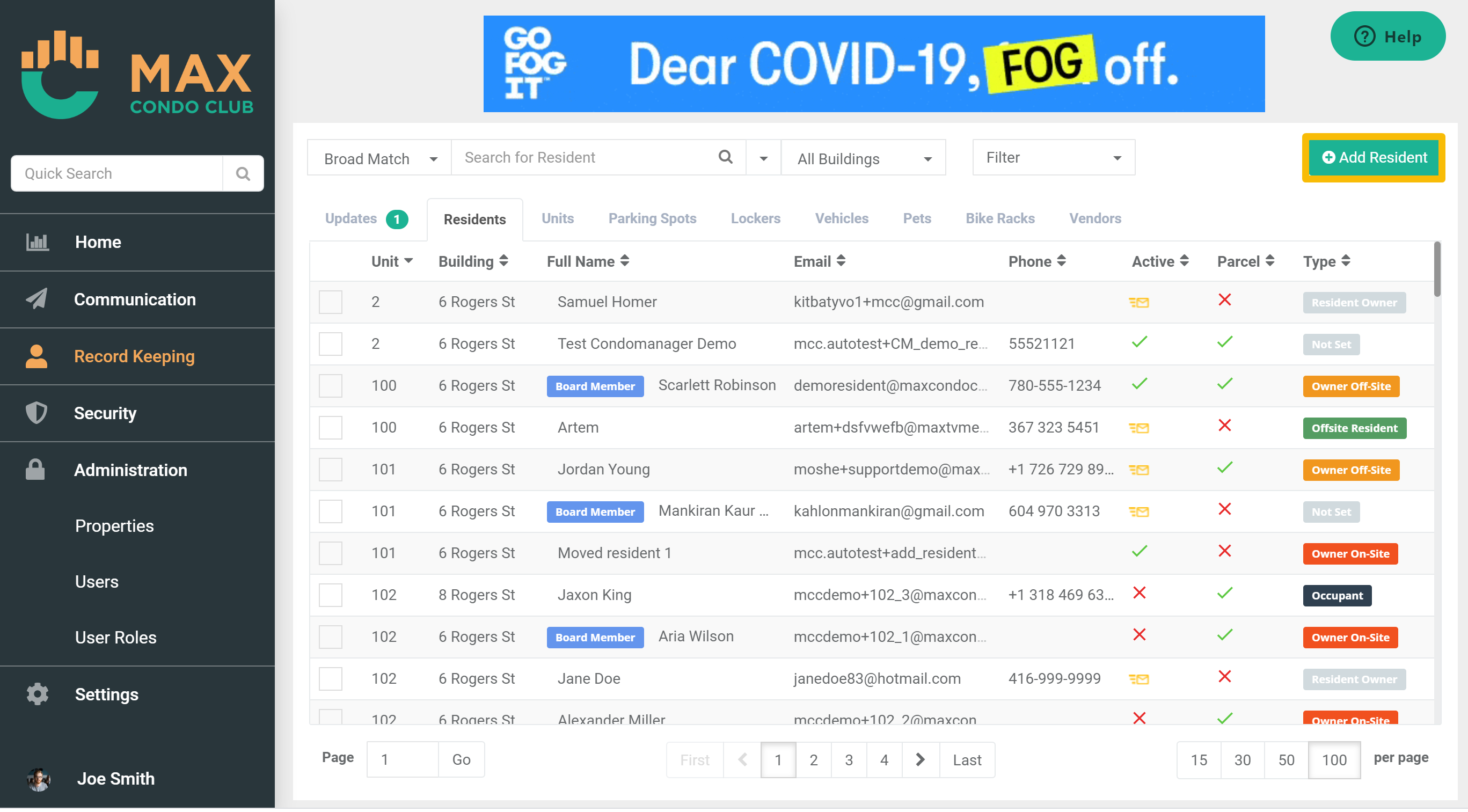
All data sets that you can add data to, will include Add Button that is located on the top right corner of the data set table.
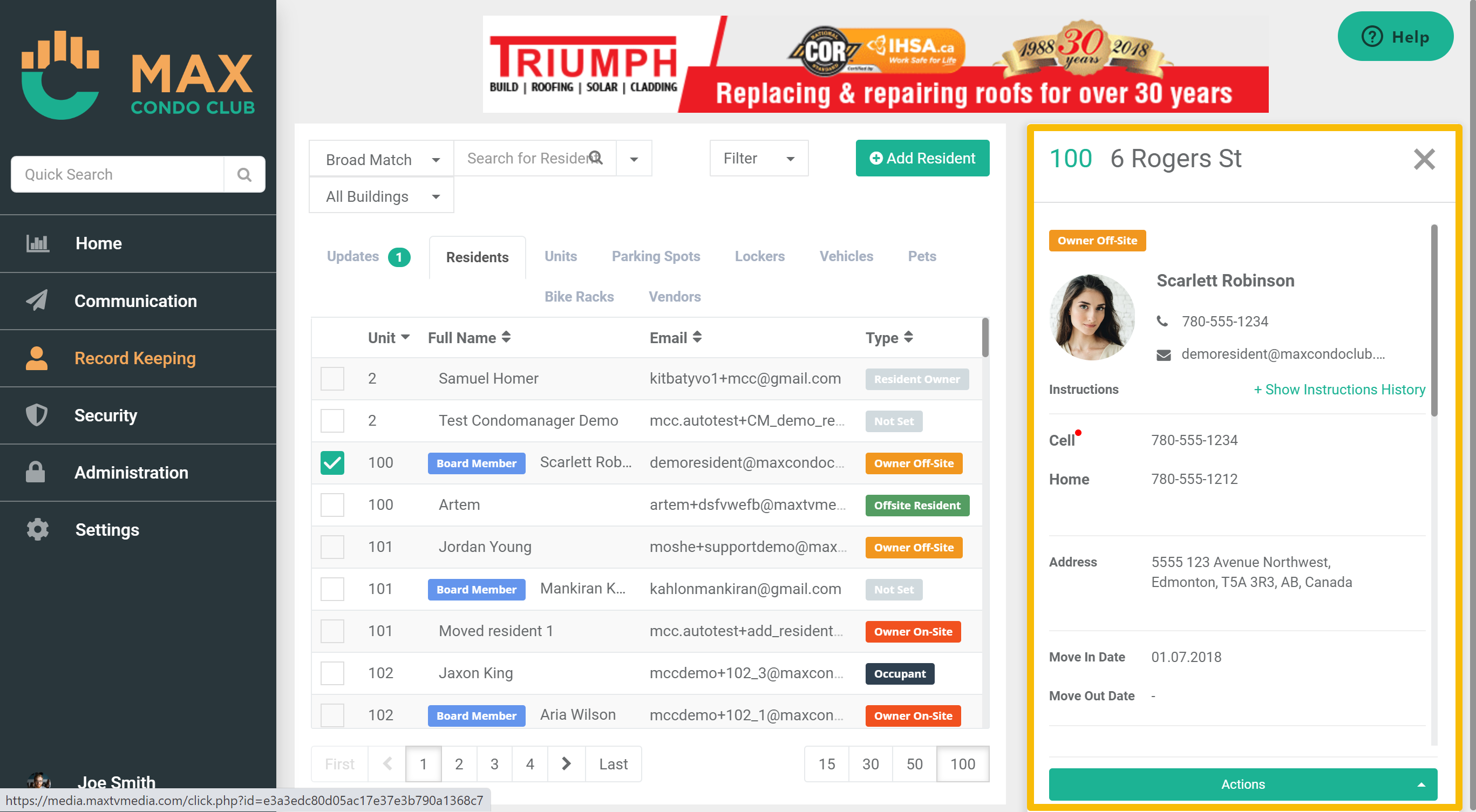
When you click on any record in the data set the Detailed View Pane will open on the right and will include more information about the record you clicked on.
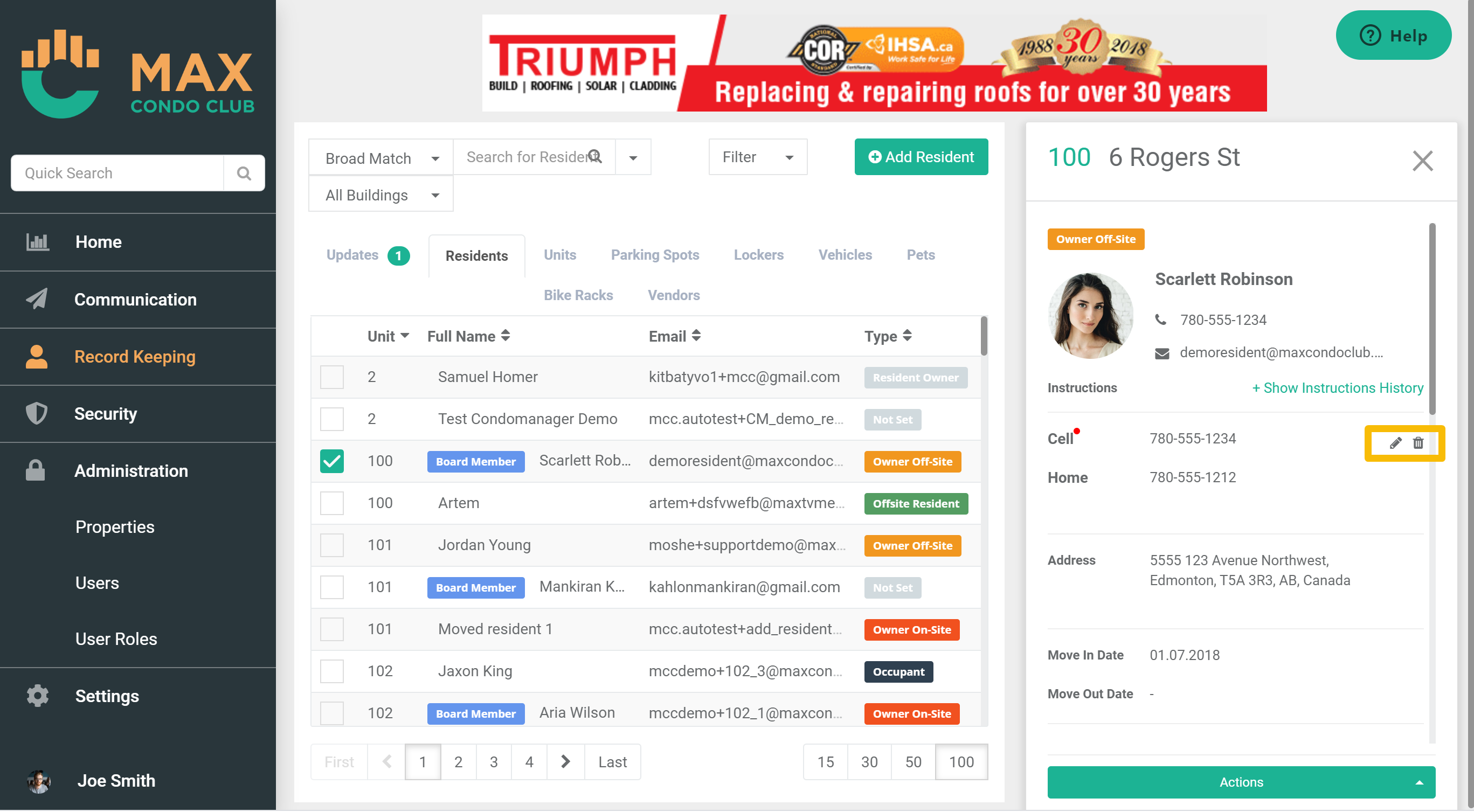
The Detailed view can be used to edit or add information to an existing record. When you hover your mouse above any of the fields on in the Detailed View, you will see to small icons showing up to the right of the field. If you click the pencil icon you will be able to modify the information that is currently saved in the field, whereas if you click on the trash can the information in that field will be removed. pro tip: double click on any field to edit.
In the bottom of the Detailed View Pane you will also notice an Action Button. By clicking the action button you will get a list of actions you can preform on the record.
Not all Services look a like, there are other views like the Calendar View or the Kanban View that we will cover in the Services that those views are available in.
For the most part however, the table view is the easiest one to navigate and takes little to not time to get used to.
Now that you are familiar with the layout of Max Condo Club, its time to configure the settings of your resident portal
Comments
1 comment
Nice weather
Please sign in to leave a comment.